 LuraNote AI
Scan a whole stack at once
Pick several photos from your gallery and LuraNote reads them all, so a full chapter or a week of class notes ends up in one note.
Snap a page.
Get real text.
LuraNote turns photos of notes, books and whiteboards into editable text in one tap. Everything runs on your phone, with no internet, no account and no uploads.
A small, fast image-to-text app that does one job well: get the words out of a picture and into something you can edit, copy and send.
Pick several photos from your gallery and LuraNote reads them all, so a full chapter or a week of class notes ends up in one note.
It reads printed pages and handwritten notes alike, so your messy notebook scans fine too.
Clean up the result in a built-in rich-text editor with bold, italics, headings and lists.
Scan another photo straight into your note at the cursor, and keep going until the document is done.
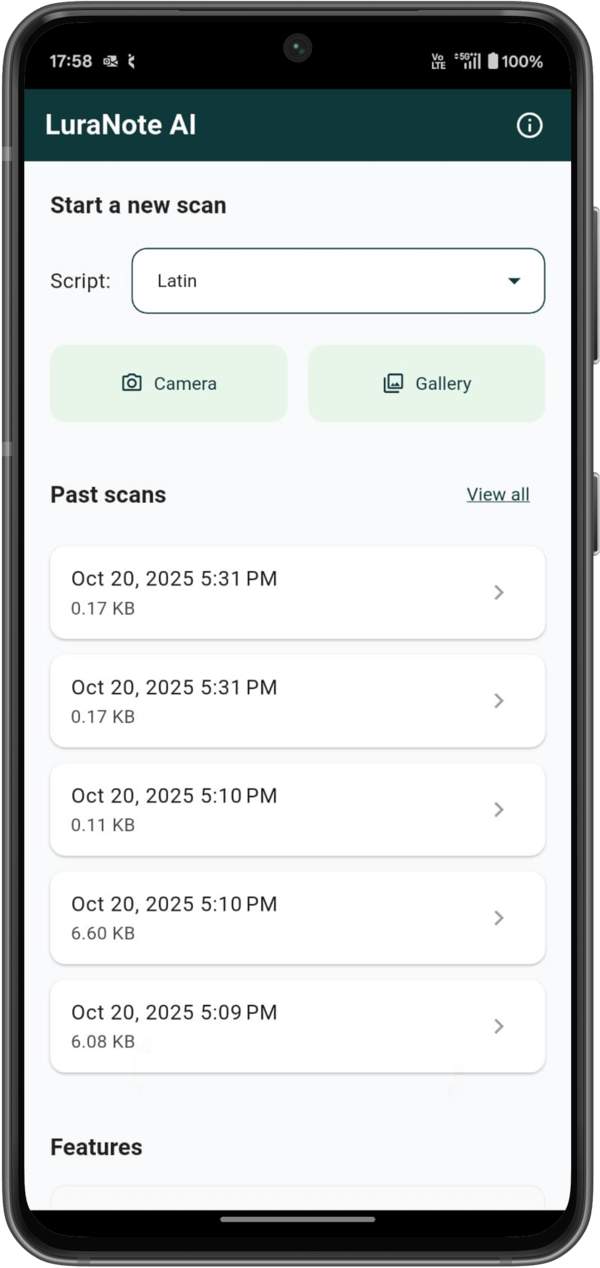
Past scans live in the app, so you can reopen, edit or share them any time without scanning again.
Copy to clipboard, share with any app, or save to your notes, each in one tap.
Text recognition runs entirely on your device. Your photos and the text inside them are never sent to us or anyone else.
The OCR engine runs on your phone, so there's no server round-trip and no waiting.
On a plane, in a basement library or with no signal, it scans just the same.
There's no sign-up and no data collection. Notes stay on the device unless you share them yourself.
LuraNote's OCR reads five writing systems. Choose the script before you scan; each one covers many languages, from English and Spanish to Hindi and Marathi.
English, French, German, Spanish & more
Hindi, Marathi & more
Simplified & Traditional characters
Kanji, hiragana & katakana
Hangul
Take a photo with the camera, or pick one or more images from your gallery.
LuraNote finds the text and converts it in seconds, right on your phone.
Tidy it up, then copy, share or save it to your past scans.
Yes. Download it from Google Play and start scanning. You don't need an account.
No. Text recognition happens entirely on your device, so it works offline and it's fast.
Yes, it reads both printed and handwritten text. Clear, well-lit photos give the best results.
LuraNote reads Latin, Devanagari, Chinese, Japanese and Korean scripts. That covers English, Hindi, Marathi, French, German, Spanish and many more.
On your phone, in the app's past scans. Nothing is uploaded. Read the privacy policy for details.
Put a fast, private text scanner in your pocket. It's free, and it works without internet.
Get it free onGoogle Play